Gamma Alternative: When the Document Should Be a PDF, Not a Deck
People look for a Gamma alternative for two different reasons. Sometimes they want a cheaper or freer way to make the same visual, link-shared page. Sometimes they have finished with presentation-shaped output and need an actual document: an invoice, a proposal, a report, a contract, a letter. Gamma and PaintPDF are built for those two jobs, so this page is about telling them apart rather than declaring a winner.
Disclosure: we build PaintPDF, so we have a stake in this comparison. Gamma is a separate product, and everything below about Gamma comes from its public product pages, checked on October 10, 2026, not from a hands-on trial. Features, plans and export rules change, so check Gamma's own site before you decide.
What Gamma is built for
Gamma's public pages describe it as an AI tool for presentations and visual documents: you prompt or paste content, it lays out slides and web pages with a designed look, and you edit and share a link. Exporting to PDF or PowerPoint is offered.
That is a good fit for a pitch deck, a visual landing page, or anything you send as a link and read on a screen.
What PaintPDF is built for
PaintPDF takes the other end of the problem. You describe a document, and it builds a fixed A4 page from real blocks — headings, tables, columns — that you edit by chatting and then print or download as a PDF. There is no slide model and no link-shared web page: the output is a page.
That fits anything that ends up on paper or as a file someone keeps: invoices, proposals, reports, NDAs, letters.
Where they differ
The rows describe the shape of each product, not its quality. A deck that looks right on a screen can be awkward on paper, and a page designed for print makes a poor slide. Neither is a defect.
Choose Gamma when
- The thing you are making is presented live or read as a link.
- The content is visual: a pitch, a launch, a landing page.
- You want the reader to scroll rather than turn a page.
- You will keep editing it online rather than printing it.
Choose PaintPDF when
- The thing you are making gets printed, filed, or signed.
- The content is structured: line items, totals, milestones, clauses, dates.
- The reader expects a page — a client, an employer, a records system.
- You want the document to be a file, not a link that can change under the reader.
A five-minute test
Take one real document you need this week and answer three questions:
- Where does it end up? On a screen, or on paper and in a file someone keeps? That decides the shape.
- Does a table have to add up? If the answer is arithmetic — an invoice, an estimate, an expense claim — a page with real tables is the safer shape.
- Will anyone print it? If yes, judge the printed page, not the screen. Open the PDF, look at page one at print scale, and check that the margins and columns hold.
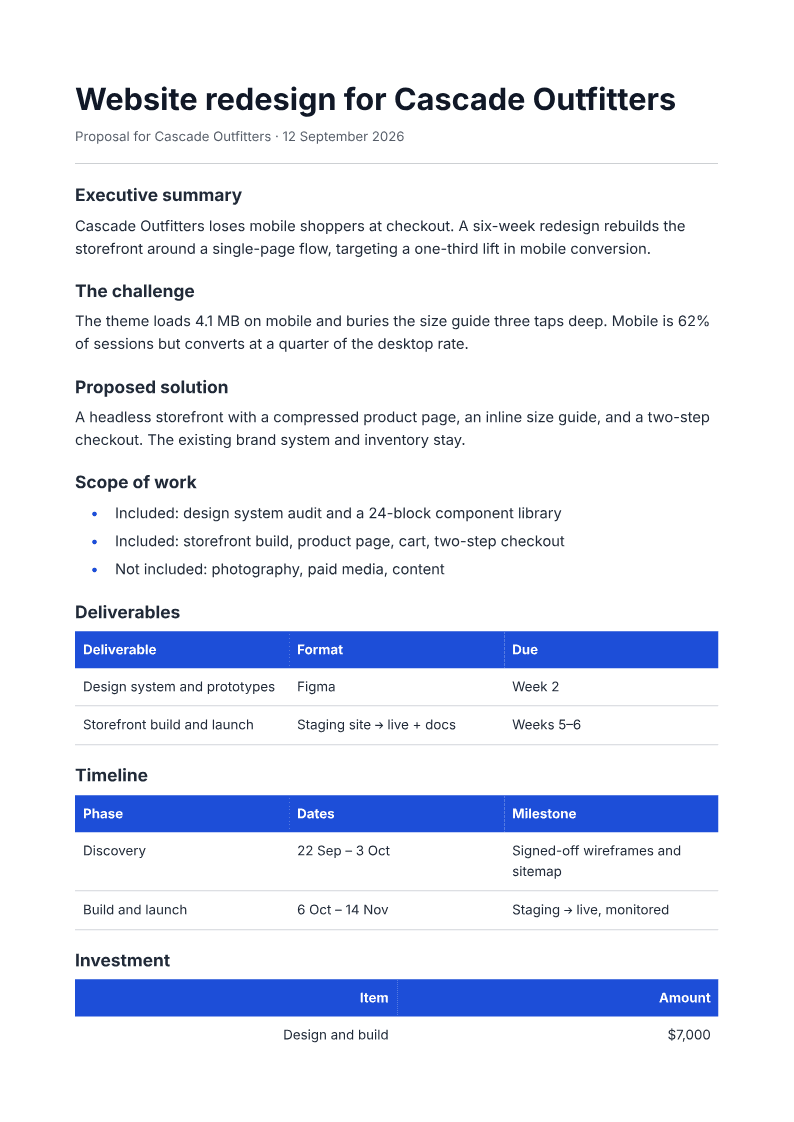
If the answer is "a printed page", start from the proposal generator or the invoice generator and use the free example to check the layout before you write anything.
Frequently asked questions
Is PaintPDF a drop-in replacement for Gamma?
No. Gamma is a presentation and visual-document tool; PaintPDF is a print-ready PDF generator. If you need a deck, use a deck tool. If you need a page that prints cleanly with tables and totals, PaintPDF is built for that.
Can PaintPDF make a presentation?
It makes A4 documents, not slides. You can put a visual layout on a page — the one-pager is close to a single slide — but there is no slide-deck model or presenter view.
Is Gamma free?
Gamma sets its own plans and export rules, and they change. Check Gamma's current pricing page for the plan you intend to use. PaintPDF's free plan includes around 20 PDFs a month, with no watermark and unlimited exports.
Which is better for an invoice?
An invoice needs a table that adds up and a page someone can file. PaintPDF's invoice generator is built for exactly that; a visual-document tool is the wrong shape for it.
Does PaintPDF work without an account?
The examples on the marketing pages render and download without signing in. Building your own document in the studio needs an account.
Describe a document, watch it render as an A4 page, then download the PDF. Free to start, no watermark.
Open the AI PDF generator